Two-factor authentication is required when connecting remotely to the Faculty of Engineering network.
Before you begin
Make sure that you have:
- Google Authenticator installed on your mobile phone.
- Access to the personal email address registered with Engineering IT.
- Your Faculty of Engineering network username and password.
Register the authenticator
- Open mfar.eng.biu.ac.il.
- Enter your Faculty of Engineering username and select Sign up.

- The service confirms that an authentication request has been created.

- Check your personal email inbox for the registration message.

- Open the message and locate the QR code and registration information.

- Open Google Authenticator on your phone and select Get started.

- Select Scan a QR code, then scan the QR code from the registration email.

- When Bitvise or another remote-access client asks for the one-time code, enter the current six-digit code from Google Authenticator.
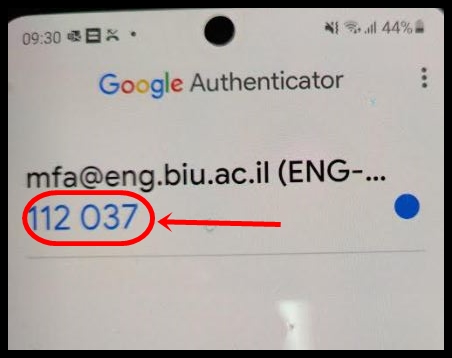
Authentication codes change every 30 seconds. If a code is about to expire, wait for the next one before submitting it.